Free WordPress plugin
Know what breaks before you upgrade PHP.
Before you upgrade PHP, see which plugins and themes are ready, which need fixing, and which look abandoned.
Security fixes for PHP 7.4 ended. Time to upgrade.
2 Fix before you upgrade
- Sample Slider ProBlockerSome of its code will not work on PHP 8.4.Update available: 3.2.0 · Update now
- Old Widget PackRemoved from WordPress.orgClosed: no more updates or security fixes.
1 Keep an eye on
- Demo GalleryWarningsWorks on PHP 8.4. Needs updating before a later version.
3 All good
Acme Contact Forms, Example SEO Toolkit, Sample Shop
What you get
One clear verdict per plugin, and the reasons behind it.
Your host wants you on a newer PHP version. Airworthy reads every plugin and theme and tells you, in plain words, what will survive the switch.
A verdict for every plugin and theme
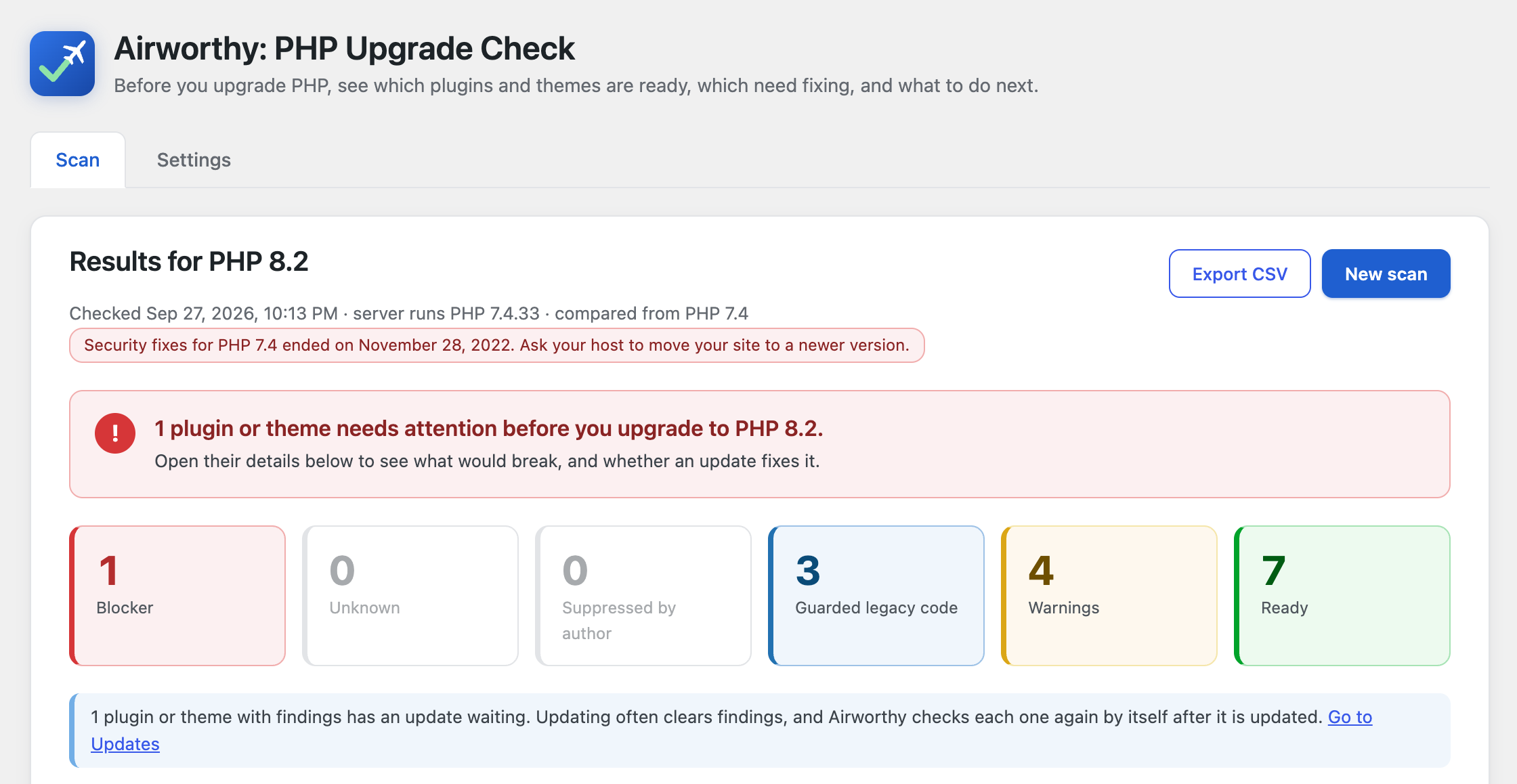
Blocker, Unknown, Suppressed, Guarded, Warnings or Ready, each with one plain sentence explaining what it means for you.
Fewer false alarms
Many plugins carry old code that only runs on old PHP versions, behind a version check. Airworthy recognises those checks and marks that code as guarded instead of broken. In our test of the 30 most popular plugins, this cut the plugins flagged as broken from 4 to 2, and in both the flagged code really would fail on PHP 8.
Maintenance signals from WordPress.org (if you allow it)
Plugins that were closed (removed from the directory), not updated in two years, not tested with recent WordPress versions, or that need a newer PHP version than you picked are called out.
Know what to do next
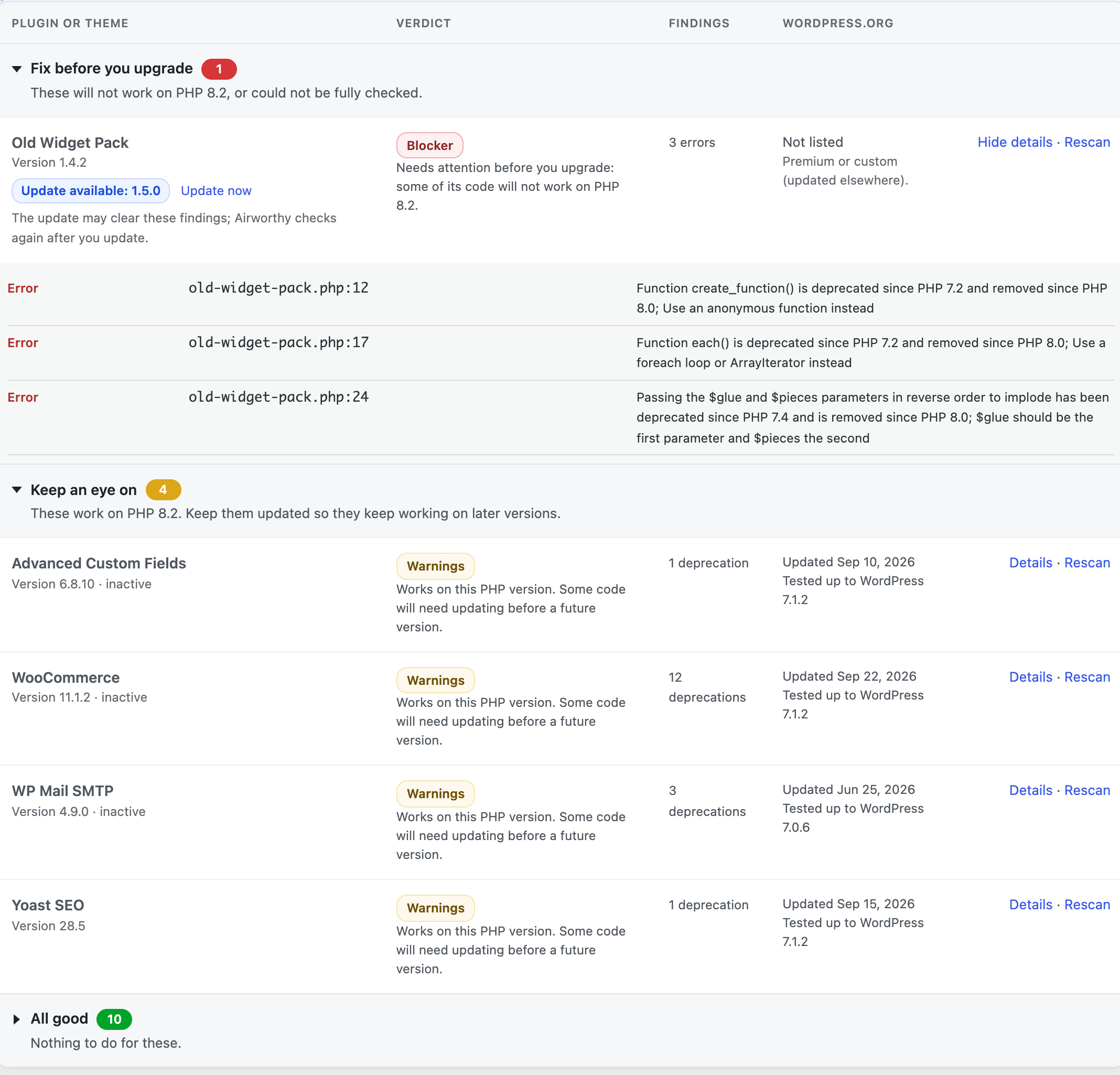
Results are grouped into fix before you upgrade, keep an eye on, and all good. Plugins with an update waiting say so, with a one-click update, and Airworthy checks them again once they're updated.
Know how long you have
Airworthy shows when your server's PHP version stops getting security fixes, so you can plan the upgrade before it's urgent.
The details when you want them
Every finding shows the file, the line and what changed in PHP. Filter by verdict, rescan one plugin after an update, or download everything as a CSV file for your developer or host.
Sensible default
Airworthy recommends the oldest PHP version that still gets security fixes: the smallest upgrade that keeps your site protected. It shows every version's support dates.
Safe on any host
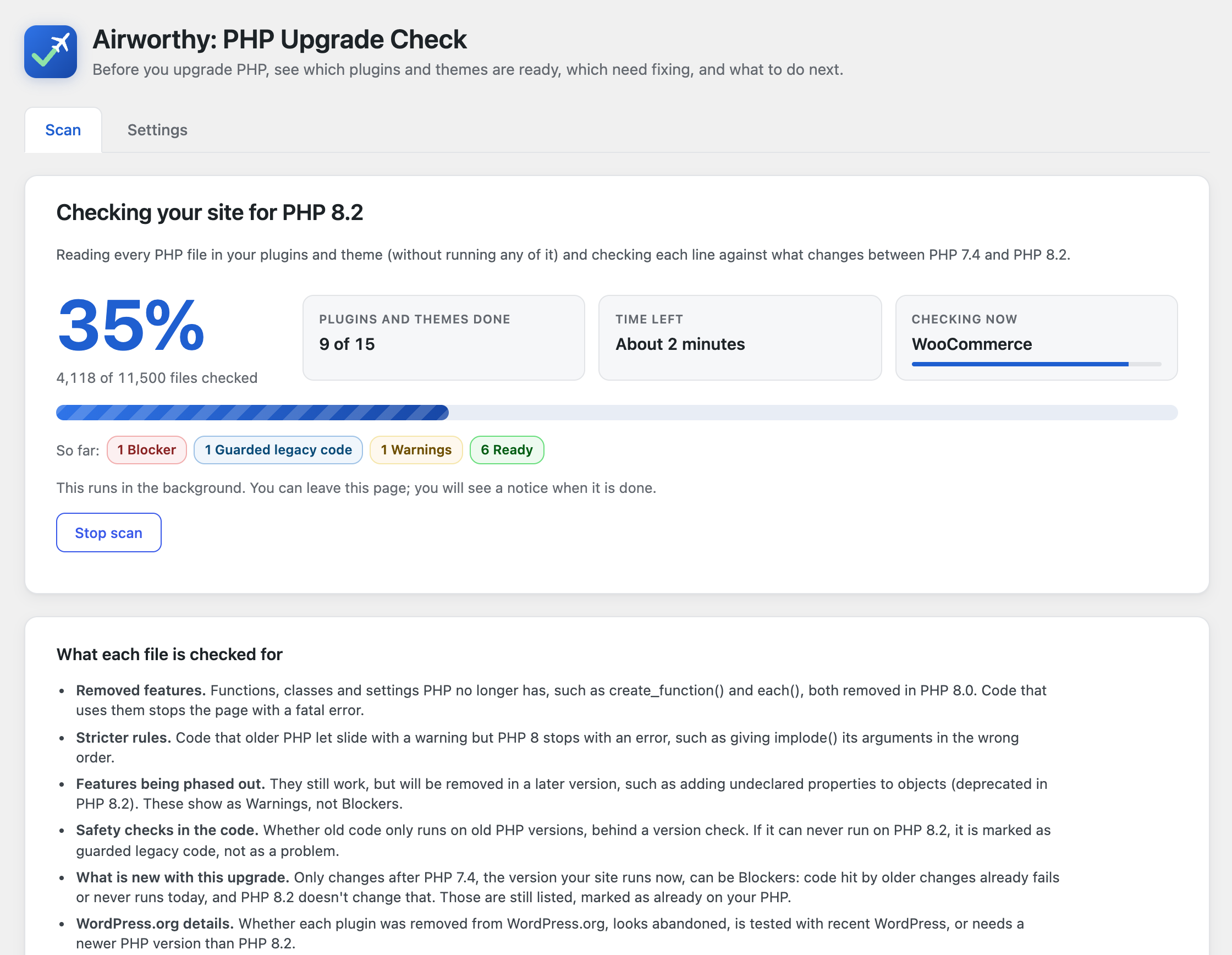
Scans run in the background in short batches, so they never time out, and they watch memory use. You can leave the page while a scan runs. Nothing is changed on your site.
Settings that fit your site
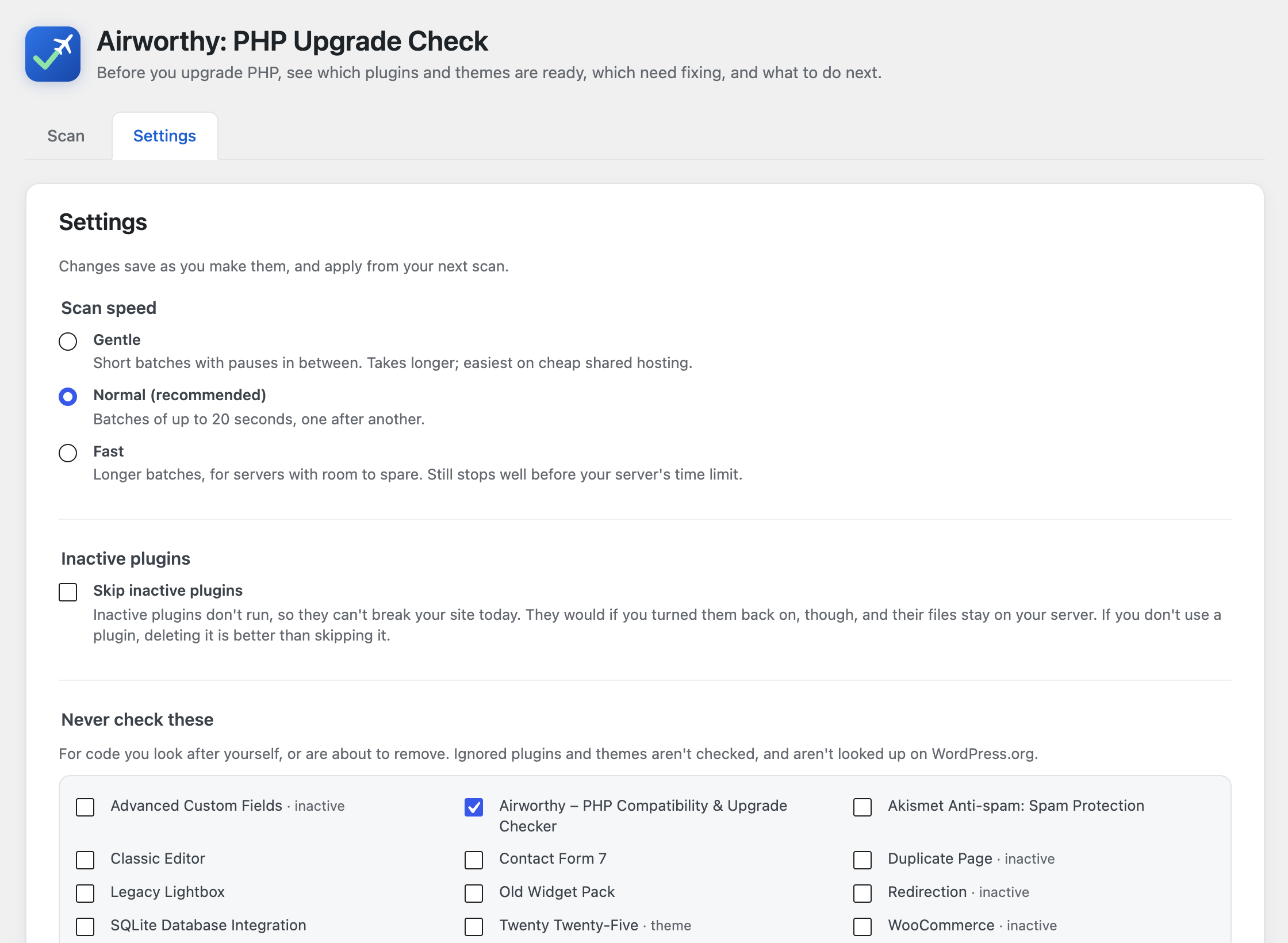
Skip inactive plugins, keep a list of plugins and themes never to check, and choose a gentler scan speed for cheap shared hosting.
In Site Health too
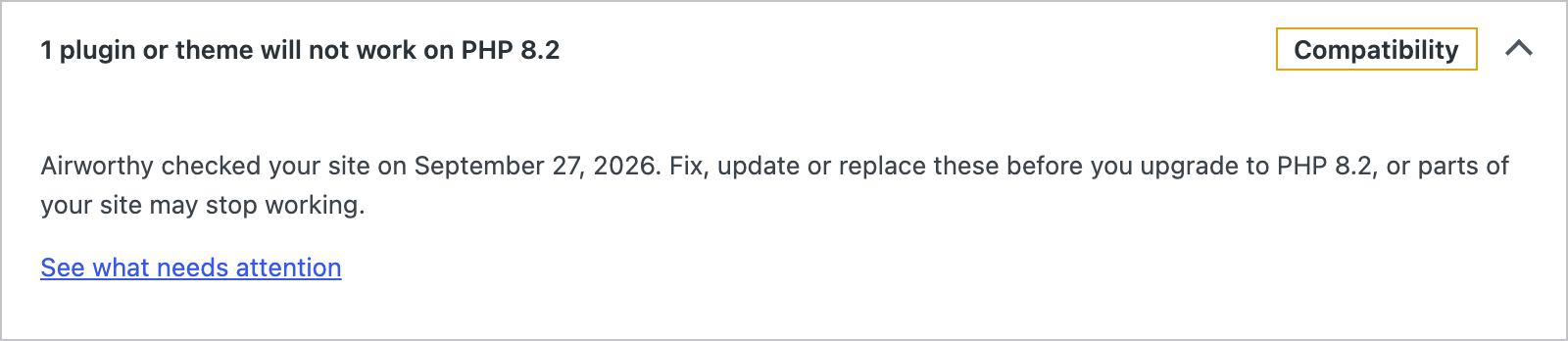
Tools > Site Health shows whether your plugins and themes are ready for the next PHP version, with a link to the full results.
Multisite ready
On a network, Airworthy is activated network-wide and lives under Network Admin > Settings.
Verdicts
Six verdicts. No guessing.
Most scanners call every old line of code an error. Airworthy tells apart code that will break from code that can never run on the version you picked.
- Blocker
- Needs attention before you upgrade. Some of its code will not work on the PHP version you picked, or it needs a newer PHP version than that.
- Unknown
- Some files could not be checked, so there's no verdict yet. The details list which files and why.
- Suppressed
- The author marked some code as intentionally left as-is. Most of the time that's fine, but worth confirming with them.
- Guarded
- It contains code for old PHP versions, but only runs it on those versions. Nothing to do.
- Warnings
- It works, but uses features that are being phased out. Nothing breaks now; the author should update before a future PHP version.
- Ready
- Nothing that would break on the PHP version you picked.
How it works
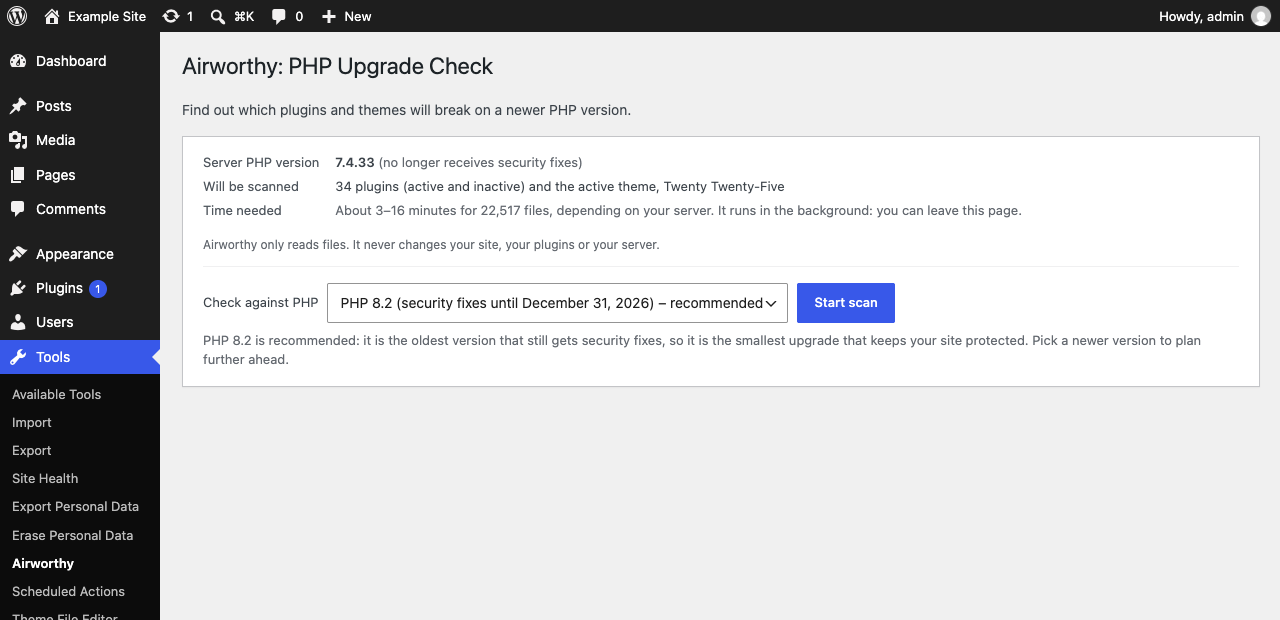
Pick a version. Airworthy does the rest.
- Choose the PHP version you want to move to. Airworthy suggests the oldest one that still gets security fixes.
- Start the scan. It runs in the background in short batches, so it never times out, and you can leave the page.
- Read the results, grouped by what to do next. Update what has an update waiting (Airworthy checks it again by itself), send the rest to the plugin's author or your developer, and upgrade with confidence.
A closer look
From "will it break?" to "here's what to do".
Everything happens inside your WordPress dashboard. Nothing is installed on your server, and nothing on your site changes.
Privacy
Your code stays on your server.
Airworthy reads your plugin and theme files where they are. It never runs them and never sends them anywhere.
To check whether plugins are still maintained, it looks up each plugin's folder name in the public WordPress.org directory. Not your site's address, not your plugin list, not your PHP version.
For developers
Everything works from WP-CLI.
wp airworthy scan --target=8.4
wp airworthy scan --only=my-plugin --fail-on=blocker
wp airworthy results --verdict=blocker,unknown
wp airworthy export --file=report.csv
Use --fail-on=blocker to stop a deploy in CI when something would break.
Questions
Good to know
Does Airworthy change my PHP version or my site?
No. It only reads files and reports. You change the PHP version yourself, usually in your hosting control panel, when you're ready.
What can a static scan catch, and what can't it?
Airworthy reads the code without running it. That catches most PHP upgrade problems: functions, classes and constants that were removed, changed syntax, removed extensions, and new reserved words. It sees every file, including code paths your visitors rarely trigger.
It can't see what only happens when code runs. For example: code that builds function names at run time, behaviour that depends on your data or settings, and problems in files a plugin downloads or generates later. Some newer PHP changes (such as a few PHP 8.1 and 8.5 deprecations) can't be detected reliably by reading code yet. So a "Ready" verdict means no problems were found, not a guarantee. Test on a staging copy of your site, and keep a backup, before you switch.
Is a "Ready" result a guarantee that my site will work?
No. Airworthy reads code without running it, so some problems can't be seen this way: code that only fails when it runs with your data or settings, your server's configuration, or other software on your site. Treat the results as guidance for planning. Before changing PHP on your live site, back up your files and database, try the new version on a staging copy and check the pages that matter most (checkout, forms, logins), and make sure you know how to switch back. Airworthy is free software provided without any warranty (see the licence), and DigitalKind isn't liable for the results of changing your PHP version.
What is sent to WordPress.org?
Nothing, unless you allow it when you start a scan. If you do, only each plugin's slug (its folder name), to look up its public directory entry: not your site address, not your PHP version. See Privacy above. Themes aren't looked up.
Will a scan slow down my site?
Scans run in the background in short batches of about 20 seconds, using WordPress's own scheduled tasks (Action Scheduler). Visitors aren't affected. A typical site with 20–30 plugins takes a few minutes; Airworthy estimates the time before you start.
Coming next
Airworthy Pro: upgrade PHP step by step.
The free plugin tells you what will break. Pro will tell you exactly how to upgrade safely, then keep watch for you. The free plugin stays complete, and free.
Your upgrade plan
An ordered checklist built from your results: update these, replace those, back up, then switch. It ticks itself off as you go.
Every PHP version at once
One scan, PHP 8.0 to 8.5 side by side, and the highest version your site is ready for today.
Monitoring and alerts
Checks again after every update and every week, and emails you when something changes or your PHP version nears its end.
Reports for clients
A branded PDF of the results for agencies and freelancers, and every site's verdicts in one place.
Upgrade PHP without the surprises.
Free, open source, and made for the sites that need it most.